Saturday, August 2, 2014

How to download YouTube Video .

5:32 PM Posted by Unknown , , No comments
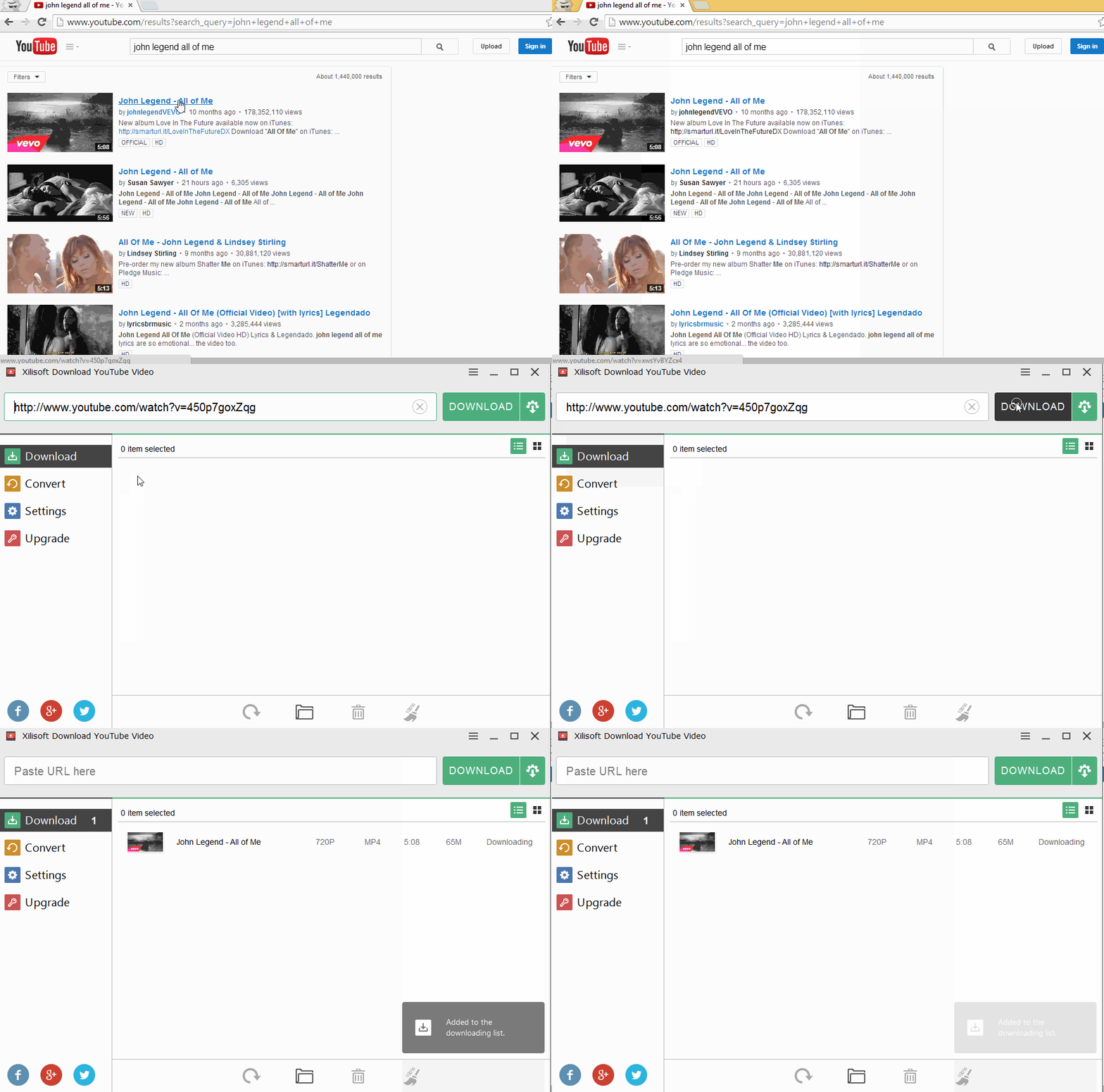
YouTube is one of the biggest and most used video shearing sites on the internet.  But YouTube does not give the direct permission to download its video. But sometimes, you may not have the time to watch that video instantly and want to download that video, so that you can watch the video offline.
download youtube video

There is several ways to download YouTube videos. Some online tools like keepvid,  dirpy, savefrom, savevid, deturl as well as some offline tools like clipgrab, xilsoft and so on. These online or offline applications are totally free with wide range of features.
You can download the videos in HD format, mp4, mp3,FMV, WebM, 3gp.

Here is some of those software’s links.

 Offline Applications Download Link  

Clipgrab
http://clipgrab.org/


download youtube video


xilisoft
http://www.xilisoft.com/download-youtube-video.html


download youtube video


Online Applications Link  

savefrom
http://en.savefrom.net/
download youtube video


Dirpy
http://www.dirpy.com/

download youtube video

savevid (Latest Java Installation Needed)

http://www.savevid.com/

Deturl
http://deturl.com/

Keepvid
http://keepvid.com/

On These sites just past the YouTube link and down the video according to your requirements.

Hope this will help you to download YouTube video.

Thanks.

Monday, July 28, 2014

Some Internet Browsing Tricks That You Should Know

1:29 AM Posted by Unknown , , No comments
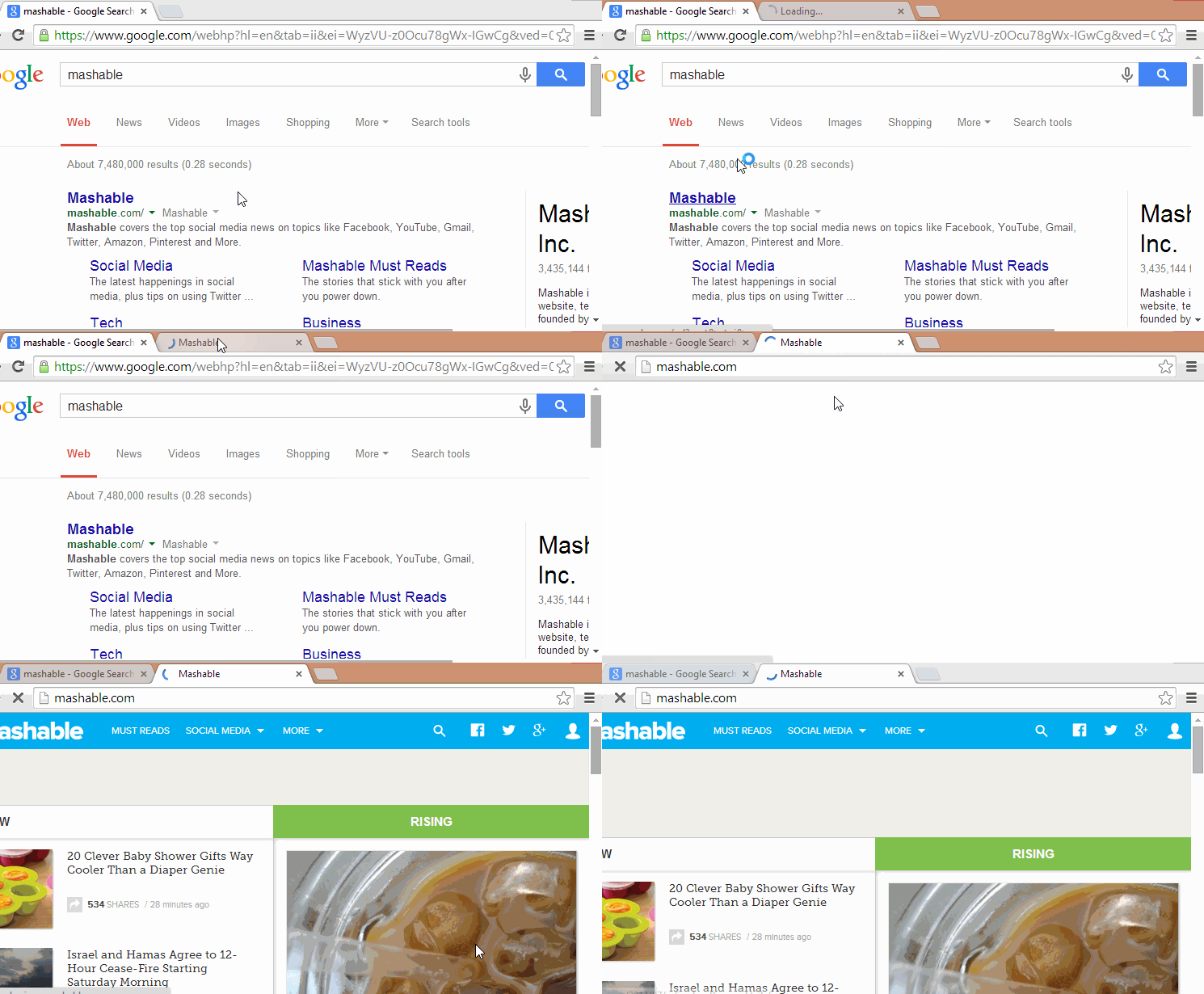
Shortcut is always a time saving method for everything. and especially for internet users some short cut is really essential which can give the user more efficiency as well as save time for surfing on internet. their are several short cuts are available which you may not know. which can really simplify your browsing life.

Some Awesome Tricks


HOLD S+RIGHT CLICK ON THE IMAGE FOR REVERSE IMAGE SEARCH.

MAGE FOR REVERSE IMAGE SEARCH

OPEN THE LAST CLOSED TAB WITH "CTRL+SHIFT+T"

OPEN THE LAST CLOSED

OPEN A LINK IN A NEW TAB BY HOLDING "CTRL" AND CLICK ON THE LINK

OPEN A LINK IN A NEW TAB


USE YOUR BROWSER AS NOTEPAD

JUSY PERST THE FOLLOWING CODE INTO YOUR ADDRESS BAD
  1. data:text/html,%20<html%20contenteditable><Title>Notepad</Title> 

USE YOUR BROWSER AS NOTEPAD

FIND OUT YOUR FAVORITE CELEBRITIES  BACON NUMBER

FIND OUT YOUR FAVORITE CELEBRITIES  BACON NUMBER


PRESS "CTRL+ENTER" TO ADD .COM TO ANY WORD YOU TYPE IN THE ADDRESS BAR.

ADD .COM TO ANY WORD YOU TYPE IN THE ADDRESS BAR


PLAY A RETRO GAME IN GOOGLE IMAGES


Thanks for your attention and hope you will apply these shortcuts and will be more efficient in your browsing activity.

Saturday, July 26, 2014

Do More Than Search With Google. ( Part 1)

5:42 PM Posted by Unknown , No comments
Google is one of the most top used and preferred search engine all over the world. In 2013 the average search per day on Google was 5,922,000,000. And Most people use it for the search purpose. But do you know that, Google actually provide more that only search. some time it about fun, some times it about really helpful. Rather than search, Google has some special feature on it. some funny features. 
And by Using these special feature or tricks of Google you really can save your time. 

Do More Than Search With Google


Search For a Companies Founder:

Google will provide you the information about any companies founder.

Search For a Companies Founder


Find Out Your Favorite Authors Books.

Find Out Your Favorite Authors Books.


Choose Healthy Food With Google.

Choose Healthy Food With Google


A Big Pole On Festivus.

A Big Pole On Festivus


Check Your Flight Time With Google.

Check Your Flight Time With Google


Google barrel Roll Effect, Still in Google.

Google barrel Roll Effect, Still in Google


Find Out The Definition and Etymology of any word.

Find Out The Definition and Etymology of any word

Play a Google Game With Google:

Play a Google Game With Google


Make Google lean just a little bit by telling it to "tilt."

Make Google lean just a little bit by telling it to "tilt."


Use Google As A Timer.

Use Google As A Timer


So Enjoy Google, And Be With Us.
Thank You For Reading

Thursday, July 24, 2014

Add Subtitle To Any Video

1:29 PM Posted by Unknown , , No comments
Few days ago, i have got a problem. i have heard about a move which is in Arabic. But as i am not an Arab, so i had to download the subtitle in English of that movie. I download the subtitle. but again problem, how can i add that subtitle to that movie.
I am googling a lot. try to find in different way. and i have got several way to add that subtitle file to my video, which was in mp4 format. but their has also a problem, and that is i have to convert that mp4 file to AVI file which is a time killing job.
Then i start to search again, and suddenly i found the solution, and that is the most easiest way. I had done a lot of hard job to find out the solution, but i did not even know that, what i am searching for is already available in my hard disk.
And that is VLC Media player. VLC media player provide this facility to add subtitle to the movie.
You don't need to change the file format. you just have to collect the subtitle file and add that to the VLC player.


Here is the simple steps

Open VLC player and open the video.

Add Subtitle To Any Video

Go to the menu bar and click on subtitle and then click on add subtitle


Add Subtitle To Any Video

Now just locate the video subtitle which may be in srt file format. select the srt/subtitle file and click on open.


Add Subtitle To Any Video

This will add the subtitle to the video. 


Add Subtitle To Any Video

Now enjoy the video, does not matter it's Arabic or else. if you have the subtitle enjoy it.

cheer.
Thanks for reading.

Sunday, December 22, 2013

Make a WiFi Hotspot Zone Using Your PC.

12:33 AM Posted by Unknown , No comments
Suppose you have a smart phone or notepad, but did not have internet connection. or suppose you are working in a group or gossiping with friends but you have only one internet connection and don't have a internet router. it seems to be very much boring.
But if you have a laptop and you know that "How To  Make a WiFi Hotspot Zone Using Your PC." then every body's WiFi enable device can connect with the single pc.
So here is the solution by which you can make a WiFi hotspot zone using your PC.

Step-1
at first you have to make sour that,you have a laptop or a computer with wireless adapter, the Internet connection to laptop could be wired or wireless.

Step-2
Now download a software which you allow you to make your PC a Hotspot zone. The Software is Virtual Wifi Hotspot. I said about this application because, this is a free application. And it is worked on Windows XP, Windows Vista, Windows 7 and Windows 8 as well. 

Step-3
After the completion of download, install the application. and launch it. 

Make a WiFi Hotspot Zone Using Your PC.

Step-4
Now select a security connected mode. AdHoc-OPEN means other devices don't need password to connect to the hotspot you created; AdHoc-WEP only allows connection with password.


Step-5
At last click on the start Virtual Router Plus button.

Make a WiFi Hotspot Zone Using Your PC.

That's it. Now connect Smart devices and enjoy Internet. 

Thanks.

Thursday, October 31, 2013

Send free fax anywhere in the world

11:26 AM Posted by Unknown , No comments

If you don't have fax machine or the cost of sending fax is bit high, then this post will obviously help you. In this post we will tell you how you can send free fax anywhere in the world.
Hello fax is a online fax company which recently partnered with Google and Microsoft, which let you the chance to send up to 50 free fax pages in a month anywhere in the world. And to enjoy this all you need is a internet connection and a Google/Microsoft account. (Gmail, Hotmail, Outlook, Live)
To get start First click here . https://www.hellofax.com/account/logIn and then click on the Google Or Microsoft link on the bottom of the page.

Send free fax anywhere in the world

Then a new sign in box will appear on your screen. just put your email address and password and then click on the sign in button.
This will complete your sign in process. and you will be redirected to hello fax page.

Send free fax anywhere in the world

Send free fax anywhere in the world

once you get the send a fax page on the right side of the page you will get different option. From their you can upload files which you want to send. ( PDF, TEXT, Images and some other formats) and one more interesting feature of this service is this will give you the chance to get files from your cloud service providers. like Google drive, Box, Skydrive, and evernote.
After uploading files on the next box provide the Fax number or the email address of your recipient. and then press on the send it now button.
And that is how you can send free fax. As this is your free account this will give you the permission to send only. But if you want to get a fax number for your own, you can get it. But for that you have to spend at least $7.99 per month.
So this is how you can send free fax anywhere in the world.

Friday, October 25, 2013

Tech Companies With Highest R&D Budget !

11:53 PM Posted by Unknown No comments
In the extremely competitive world of information and communications technology, there are a couple of ways for a tech company to stay ahead of its rivals. They can merge or acquire other companies that have products that could add value to its own. Or, they can expand and grow from within by investing in research and development.
Half a decade ago, the big tech firms were already spending about $9.70 for every $100 in revenue, or almost a tenth of the money they were taking in. The giant companies did most of the spending, with billions of dollars being channeled to areas like virtualization and other software that is passed through the web. With the advancements that have happened in the past five years, these numbers certainly have further increased.
What firms have been investing in the creation of new technology the most? Here now is a list of the top 10 tech companies with the biggest R&D budgets.

10. Apple – $2.4 billion


9. Amazon – $2.9 billion

 amazon


8. Google – $5.2 billion

 google


7. Cisco – $5.8 billion

 cisco

6. IBM – $6.3 billion

 ibm


5. Panasonic – $6.6 billion


4. Nokia – $7.8 billion

 nokia

3. Intel – $8.4 billion

 intel


Tech Companies with the Biggest R&D Budgets


Tech Companies with the Biggest R&D Budgets
In the extremely competitive world of information and communications technology, there are a couple of ways for a tech company to stay ahead of its rivals. They can merge or acquire other companies that have products that could add value to its own. Or, they can expand and grow from within by investing in research and development.
Half a decade ago, the big tech firms were already spending about $9.70 for every $100 in revenue, or almost a tenth of the money they were taking in. The giant companies did most of the spending, with billions of dollars being channeled to areas like virtualization and other software that is passed through the web. With the advancements that have happened in the past five years, these numbers certainly have further increased.
What firms have been investing in the creation of new technology the most? Here now is a list of the top 10 tech companies with the biggest R&D budgets.

10. Apple – $2.4 billion

10
Apple is a multinational corporation based in Cupertino in California. The company designs, develops, manufactures, markets and sells personal computers, software and other consumer electronics. Steve Jobsestablished the company in 1976 with Steve Wozniak and Ronald Wayne. While it only ranks 10th in R&D budget, Apple probably has had the most efficient use of the money as they have been consistently praised for its cool and user-friendly gadgets. It revolutionized music through the iPod, tablet computers through iPad, and mobile phones through the iPhone. In terms of revenue, it is the second largest information technology company in the world.

9. Amazon – $2.9 billion

9
Amazon is an electronic commerce company based in Seattle in Washington. Jeff Bezos established the company in 1994 and it went online the following year. It started out as an online bookstore, but it eventually diversified to sell items such as DVD’s, CD’s, VHS tapes, software, apparel, furniture, video games, toys, jewelry and even food. It eventually developed its own consumer electronic equipment, like the Kindle e-book reader and the Kindle Fire tablet computer. It is also a major provider of cloud computing services.

8. Google – $5.2 billion

8
Google is a multinational corporation based in California. The company specializes in products and services related to the Internet, like the search engine, software, cloud computing and online advertising technology.Larry Page and Sergey Brin established the company in 1998. It has since grown rapidly to offer other products like Gmail, Google Drive, Google Plus, Chrome OS and the Chromebook.

7. Cisco – $5.8 billion

7
Cisco is a multinational company based in San Jose in California. Leonard Bosack and Sandy Lerner established the company in 1984. The company designs, develops, manufactures and sells networking equipment. Its products also include items for network management, optical networking, storage area networks, VOIP, and data center.

6. IBM – $6.3 billion

6
International Business Machines Corporation is more commonly known as IBM. This multinational technology and consulting company is based in Armonk in New York. Thomas J. Watson and Charles Ranlet Flint established the company in 1911 as the Computing Tabulating Recording Company, or CTR. The company offers hardware and software, as well as infrastructure, hosting and consulting services for a variety of items from mainframe technology to nanotechnology. It has 12 research laboratories around the world and holds the record for most patents by a company for 20 straight years. It is credited with the invention of the ATM, floppy disk, hard disk drive, magnetic stripe card, Universal Product Code, SABRE airline reservation system and DRAM.

5. Panasonic – $6.6 billion

5
Panasonic is a multinational electronics company based in Osaka in Japan. Formerly called the Matsushita Electric Industrial Co. Ltd., Konosuke Matsushita established the company in 1918. It is considered as one of the largest electronics producers in Japan. It is also the fourth largest manufacturer of televisions in the world as of 2012.

4. Nokia – $7.8 billion

4
Nokia is a multinational communications and information technology company based in Espoo in Finland. Fredrik Idestam and Leo Mechelin established the company in 1871, though it can trace its roots even further back to 1861. It offers mobile telephones and portable devices, as well as services like applications, games, music, media and messaging. It was the largest vendor of mobile phones from 1998 to 2012. In 2013, Microsoft bought the company for $7.2 billion.

3. Intel – $8.4 billion


2. Samsung – $9 billion

samsung


1. Microsoft – $9 billion

 microsoft


source: therichest.com